Do I need separate apps for these workflows?
WAPlus Ultra brings these workflows together in one Android app. Start with the feature you need, then enable other tools and their permissions when useful.
A local workspace around the conversation
WAPlus Ultra combines quick replies, call notes, contact tags, reminders, assisted schedules, carefully scoped auto-replies, notification capture, status saving, and VPN app assist in one Android toolkit.
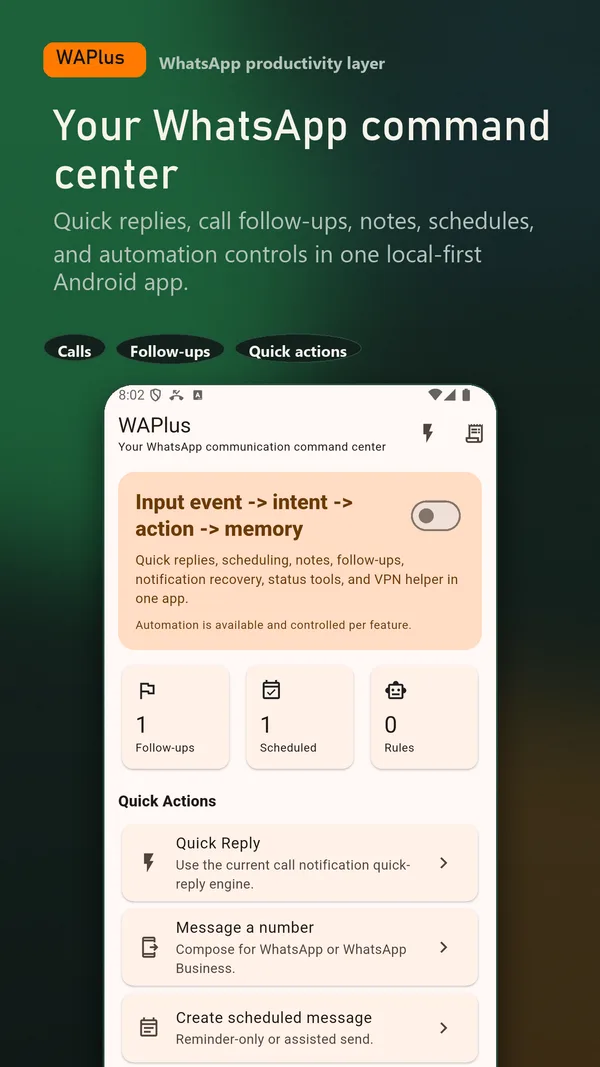
Install WAPlus Ultra on Android, then set up the feature you need. Your installed messenger remains part of the workflow.
Move from a call or copied number into a reusable response without creating unnecessary contacts.
Add a local note or tag so the person, promise, and next action still make sense tomorrow.
Use reminders, assisted schedules, or carefully reviewed auto-reply rules for the workflows that need them.
WAPlus does not need every permission for every workflow. Enable the capability you want, review its Android access, and leave unrelated features off.
WAPlus is independent of WhatsApp and cannot bypass WhatsApp, Android, network, account, or OEM restrictions. Sending, notification capture, and device automation remain subject to the apps and system services involved.
WAPlus Ultra brings these workflows together in one Android app. Start with the feature you need, then enable other tools and their permissions when useful.
No. WAPlus Ultra is an independent Android productivity app and is not endorsed by WhatsApp or Meta.
Have a workflow in mind? Send a feature request to the developer.
Available for Android only
Keep your installed WhatsApp app. Add the tools that help you follow through.