Does this require WhatsApp Business?
No. The feature is designed for supported notifications from personal WhatsApp as well as WhatsApp Business, subject to the notification action Android exposes.
Rules for the messages you actually receive
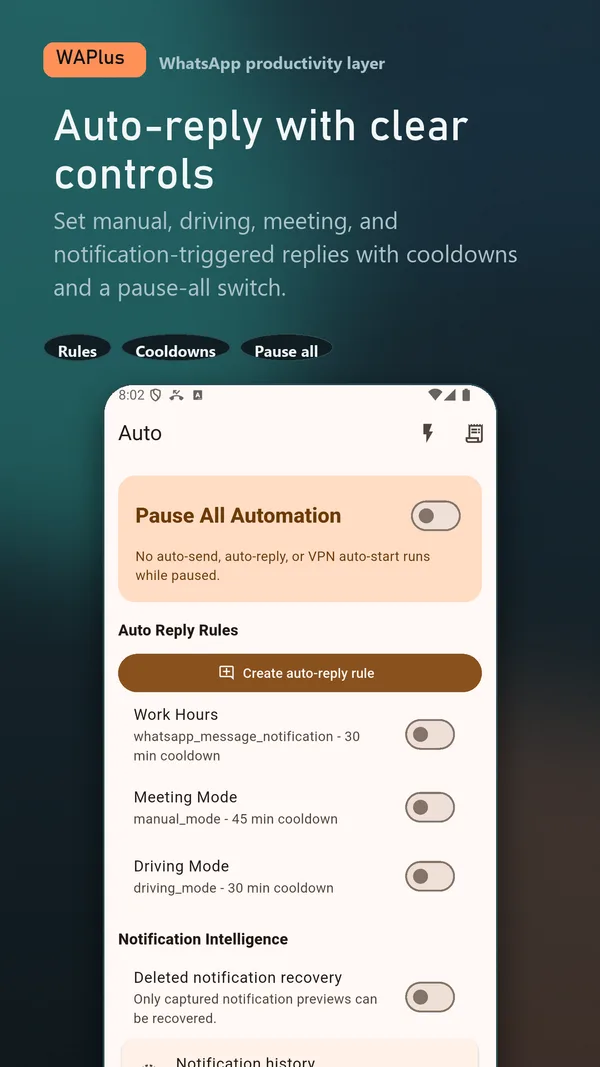
Build local rules for supported direct-message notifications, narrow the audience, set an active window, and add cooldowns and daily limits before enabling a reply.
Install WAPlus Ultra on Android, then set up the feature you need. Your installed messenger remains part of the workflow.
Create the response you want people to receive when you cannot answer immediately.
Choose who it applies to, when it can run, and how often the same chat can receive it.
WAPlus shows the rule scope so you can catch an overly broad setup before it starts replying.
WAPlus does not read the WhatsApp database. It reacts to supported Android notifications and their available reply action.
Muted chats, missing notification reply actions, grouped notifications, OEM battery limits, and WhatsApp changes can prevent a reply. Test with a trusted contact and keep the scope narrow.
No. The feature is designed for supported notifications from personal WhatsApp as well as WhatsApp Business, subject to the notification action Android exposes.
Rules, limits, and local activity history are designed to stay on your device.
Have a workflow in mind? Send a feature request to the developer.
Available for Android only
Keep your installed WhatsApp app. Add the tools that help you follow through.