Will WAPlus send while my phone is off?
No. The phone must be on and Android must allow the reminder to run. You then confirm the send in the selected messenger.
A reminder that finishes the job
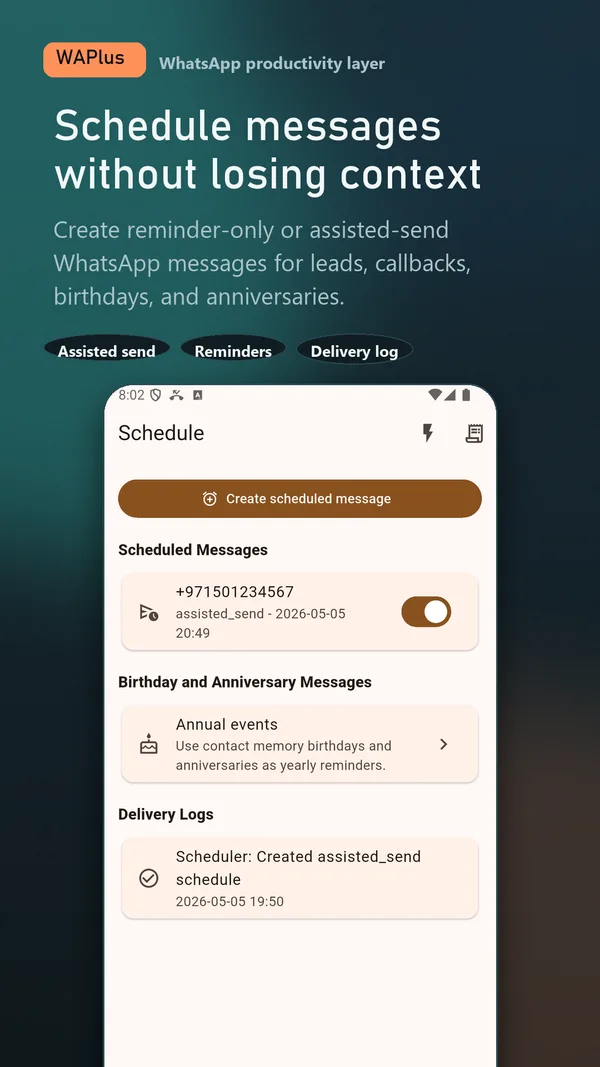
Prepare the recipient, message, date, and time in WAPlus Ultra. At the right moment, WAPlus reminds you and opens the selected messenger so you can review and send.
Install WAPlus Ultra on Android, then set up the feature you need. Your installed messenger remains part of the workflow.
Choose the person or group, write the message, and set the time before the follow-up disappears from your day.
WAPlus stores the schedule locally and asks Android to wake the reminder at the selected time.
Tap the due notification. WAPlus opens the supported messenger with the content ready; you stay in control of sending it.
The core workflow uses notifications and alarm scheduling. Access is requested in context, and the message is not silently sent in the background.
WAPlus Ultra uses an assisted-send flow. It prepares the handoff and prompts you at the chosen time; it does not promise invisible, server-side, or guaranteed background delivery through WhatsApp.
No. The phone must be on and Android must allow the reminder to run. You then confirm the send in the selected messenger.
WAPlus supports an assisted handoff for selected WhatsApp groups. WhatsApp still controls the final destination and send screen.
Have a workflow in mind? Send a feature request to the developer.
Available for Android only
Keep your installed WhatsApp app. Add the tools that help you follow through.