Is WAPlus Ultra a WhatsApp mod or modified APK?
No. WAPlus Ultra is a separate Android productivity app available on Google Play. You keep using your installed WhatsApp or WhatsApp Business app.
Keep WhatsApp. Add a better workflow.
WAPlus Ultra is an independent Android companion for your installed WhatsApp or WhatsApp Business app. It adds tools for assisted scheduling, supported auto-replies, reusable messages, and local follow-up notes. It is available on Google Play; it is not a WhatsApp mod, replacement client, or mod APK.
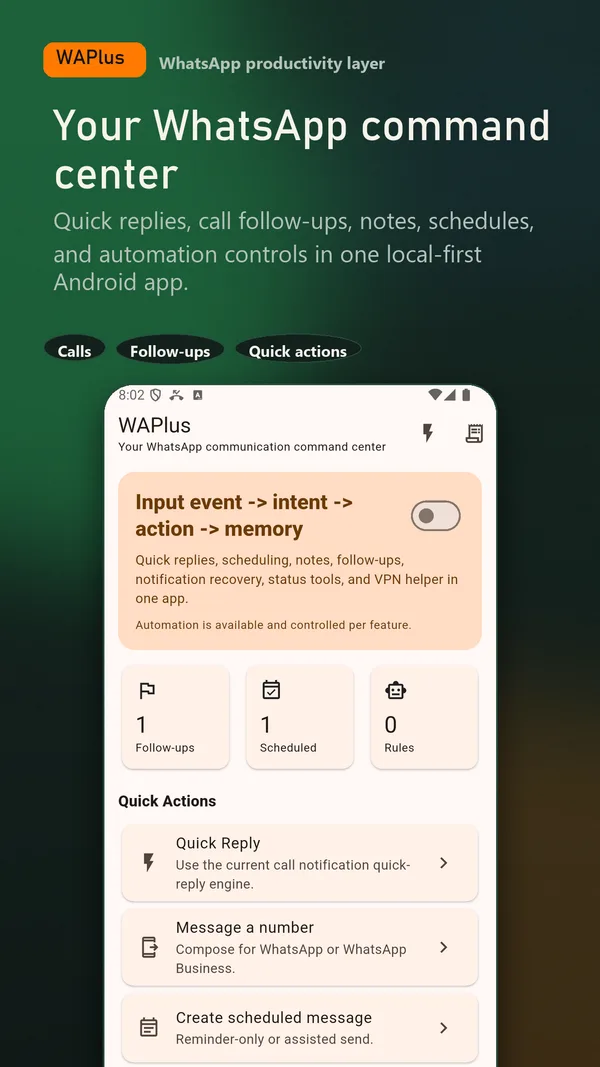
Install WAPlus Ultra on Android, then set up the feature you need. Your installed messenger remains part of the workflow.
For a message you want to send later, use an assisted schedule. For a repeated response, save a template. For a conversation you need to remember, add a local note and follow-up date.
The WAPlus Ultra download opens the com.esotech.waplus listing. You keep using your installed WhatsApp or WhatsApp Business account and conversations.
Scheduled reminders use Android notifications and alarms. Supported auto-replies and notification history use notification access. A floating reply bubble uses optional overlay access.
Create a short schedule and complete its final send, or test a narrowly scoped auto-reply with a trusted contact. Review the result on your own phone before relying on it.
WAPlus works with Android features you choose to enable. Its local productivity workspace is separate from WhatsApp's chat database.
WAPlus Ultra cannot add arbitrary features inside WhatsApp, unlock another app's paid features, reveal hidden messages, bypass account restrictions, or guarantee unattended delivery. It does not provide mod APKs, themes inside WhatsApp, or access to WhatsApp's encrypted chat database. Ask for a feature through the feedback form if your workflow is missing.
No. WAPlus Ultra is a separate Android productivity app available on Google Play. You keep using your installed WhatsApp or WhatsApp Business app.
WAPlus Ultra lets you prepare a message and get a scheduled reminder on Android. Its assisted-send flow opens the message in WhatsApp for review; you tap Send yourself.
WAPlus can apply enabled local rules to supported incoming direct-message notifications when Android exposes an inline reply action. Missing notifications, unsupported reply actions, and device restrictions can prevent a reply.
No. Enabled notification history can retain supported previews that appeared after setup. It cannot restore WhatsApp chats, old backups, messages that never appeared in a notification, or all deleted media.
No. WAPlus Ultra is Android only. The tools described here run on an Android phone and are not an iPhone app, browser extension, or WhatsApp Web service.
No. It is independently developed and is not affiliated with, endorsed by, or part of WhatsApp or Meta.
Have a workflow in mind? Send a feature request to the developer.
Available for Android only
Keep your installed WhatsApp app. Add the tools that help you follow through.